Store block
 Use
this command to transfer objects of the current drawing to other drawings
or other positions in the current drawing. This menu command operates
like the other well-known functions Copy/Paste. However, the elements
of the active drawing window are saved in the WSCAD intermediate file
P1BLOK01.
Use
this command to transfer objects of the current drawing to other drawings
or other positions in the current drawing. This menu command operates
like the other well-known functions Copy/Paste. However, the elements
of the active drawing window are saved in the WSCAD intermediate file
P1BLOK01.
Once you have selected objects by clicking
on them with the left mouse button or have selected a window, you can
also use the key combination <Ctrl-C> to save the block to
the Windows clipboard.
After menu option activation, you
must select an option in the menu (top left in the working window) in
order to determine the choice of objects belonging to the block.
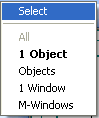
Possible choices
- All
(if active) selects the contents of the complete
WSCAD page
- 1Object
Click
on the relevant element with the left mouse button
- Objects Click on several
elements with the left mouse button (finish selection using the right
mouse button and <ESC>)
- 1Window
Draw a
selection window with the left mouse button held down
- M-Window
Draw several
selection windows with the left mouse button held down
Finish the selection by clicking on the
right mouse button and confirming with the <ESC> key. The
temporary file is overwritten every time the command is executed but the
contents remains available even after restarting the program. Use this
function to transfer parts of a drawing from one page to another page.
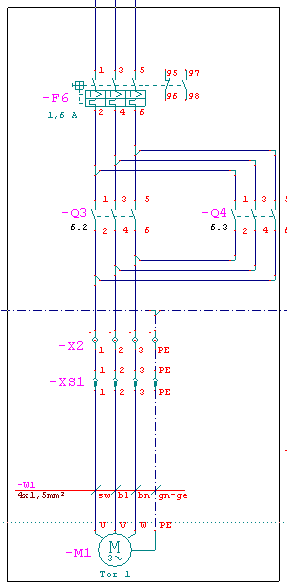
Selecting a circuit
diagram by using the Windows method
All elements within a window are added
to the block.
Hint
This does not apply
to the CPP range function
graphics Example