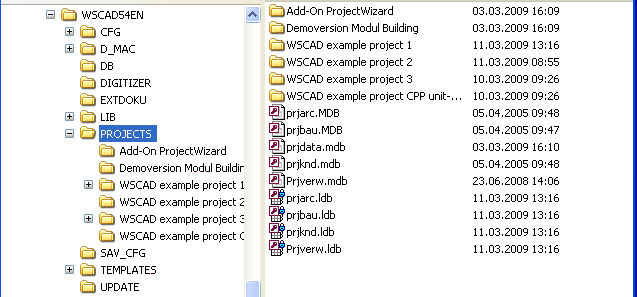
The ACCESS database files PRJKND.MDB, PRJVERW.MDB, PRJDATA.MDB contain all project management information. They are included in the project path, which you can find under the directory WSCAD X / Projects .
The project manager is reset to relative paths, i.e. when creating a project in the project directory, only the part relative to the project directory is saved in the project database, and the complete path, just like the network path, is visible in the extension. This makes it easier to port the project to other drives.
Significance of individual project databases
With the Windows Explorer e.g. you can see in the folder ..\PROJECTS different data bases.
• Prjknd.mdb: saves information about your customers.
• Prjverw.mdb: saves all projects and for each project the project data.
• Prjdata.mdb: saves models, which predefine the structure of your projects.
• PRJARC.MDB: saves information about your architects.
• PRJBAU.MDB: saves information about your building sites.