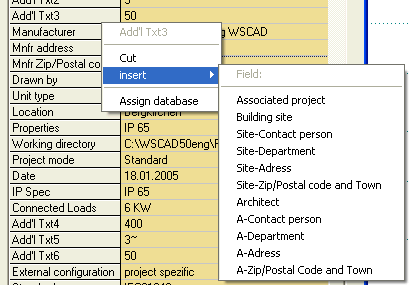
The project information in the PM can be rearranged or can be included or excluded. In this way, your projects will only be shown with the information which is really important for you. Using the right mouse button, click on the field which is to be moved into position in order to move project-information fields into the list position. In the context menu which appears, select Cut. Move the mouse pointer to the position to which the field is to be moved. Click again with the right mouse button and now select the desired field from the context menu using Paste. The field will now move to the new position.