
In order to copy an existing project, it is only necessary to click on the project name to be copied with the right mouse button and select the option Copy in the context menu.
At the bottom in the PM window, you will see a description of the project which has been copied along with the clipboard.

Now click with the right mouse button and select Paste from the context menu (mouse menu).

This starts the dialog Include existing
project.
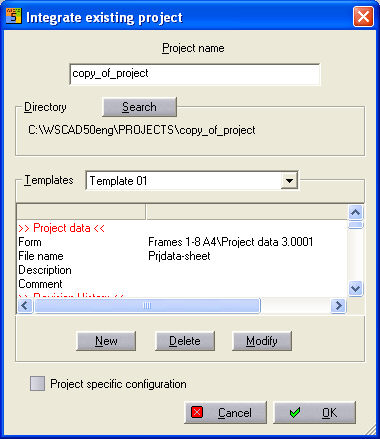
Now here you can specify the new project name while all other settings templates and CPP yes/no are copied from the project and transferred to the clipboard. All files, lists and all project information are transferred at the same time. The new (copied) project copy_of_project appears in the project list.