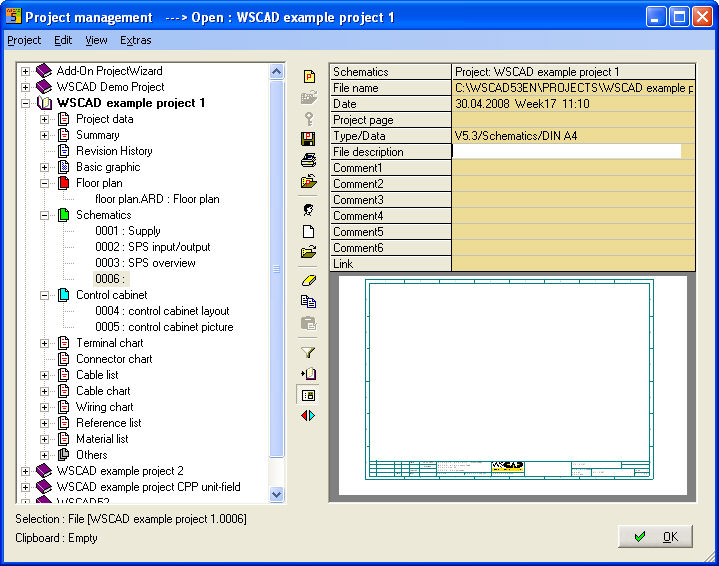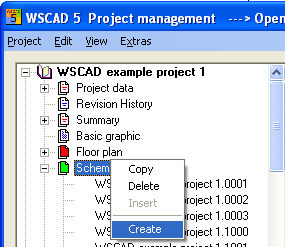
With the PM you can create one or several files at the same time in every open project. In order to do this, you select the corresponding file type (folder) with a click of the right mouse button and select the command Create (for file type Chart) or Generate (for file type Directories) in the context menu.
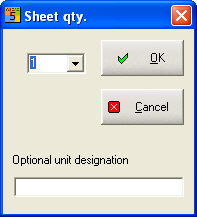
You then determine the number of the pages to be created at the same time (for file type Chart). In case of a standard project, optional input of the UFD is displayed here, too, similarly as in a CPP project.
All the pages are then predefined.
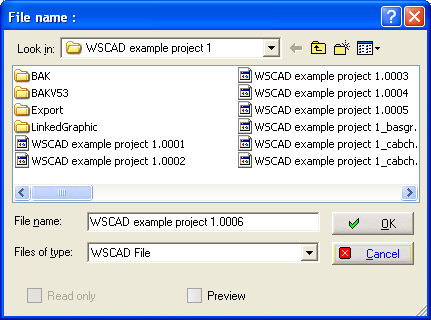
The file name dialog is started, and there you can enter the file name with the starting value of the new file(s).
The files are created with the drawing frame programmed in the models for this project, and the PM is closed. Go to the PM again and select the new file in the project tree, then you can see the properties of this file on the right side. The fields File name, Date, File description, Comment 1..6 can be used via text allocators and in the Summary.