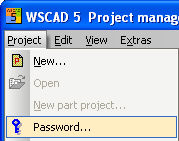
In order to protect projects from unauthorized access, you can protect your files with a password. This ensures that projects can only be opened after a password has been entered.
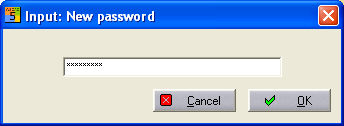
To apply a password, open a project in the PM and select the menu option Projects - Password. You are now prompted to enter a password and then re-enter it to confirm.
Note
The password protection is now active for the project and will be prompted for whenever the project is opened. However you can still load and edit individual files from the protected project. The files themselves are not write-protected.
You can deactivate the password protection by calling up the menu item 'Project – Password' for the protected and open project and accepting the inputs 'New Password' and 'Confirm password' each time without entering anything and finishing with <Return>.
If you have forgotten your password, please ring our Hotline +49 8131-3627-99.