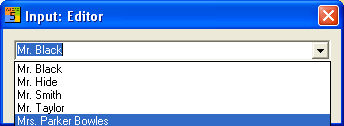
In larger companies or at workstations where several users may be using the program, the 'User' function allows you to identify which project belongs to which user.
Hint
You can also display the projects in the Project manager, sorted by username
When you confirm the menu item 'Project – User', this opens up the dialog 'Input: Username'. Here you can input new usernames; use 'OK' to confirm. Individual usernames can be deleted from the list with 'Delete'.
You can choose whether to work with the Username manager by setting the option in the Project manager.
When the option is set, you must always specify a username (or select from the list) when starting up WSCAD 5.
Hint
The selected person will also be identified as project editor for new projects and when editing different revision histories of a project.