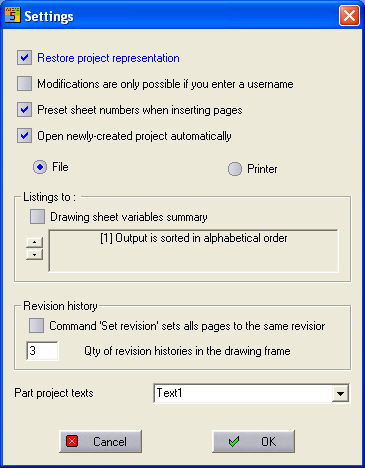
Your PM can be configured using the PM menu Extras / Settings.
By using Restore project representation, the PM is opened in the state in which it was left. However, note that a large number of open projects can slow the system down, particularly when these projects are stored on network drives.
When Modifications... , an entry in which the current user can be selected or entered is only activated before starting the program after a user has been entered.
When inserting pages, New Page Numbers monitors the respective project directory to see whether filenames exist and what those filenames are. If you want to save new diagram pages but files with identical names already exist in the project directory, then the project extension is set to the free page number. E.g. Controller.0001 and Controller.0002 already exist, so the next file will be named Controller.0003 .
If the option Automatically open newly created projects is activated, then a new project will be opened immediately after it has been created.
You can select whether the evaluations (terminal diagram and material list etc.) should be carried out in a file or on the printer.
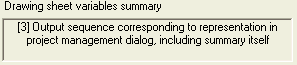
With
the Configuring the content information option, the information
comes from the variables on the diagram pages (such as procedure
versions, but requires old equations) or if this option is not activated,
from the PM. You define how the contents information produced is
organised in the box. Here, it is possible to select different
modes.
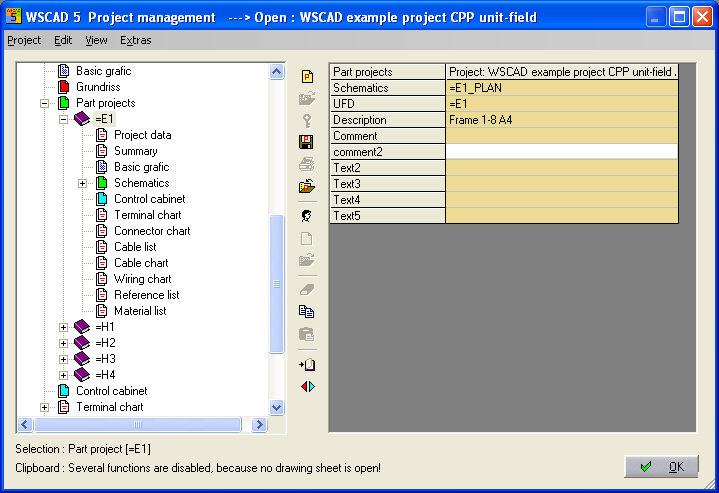
Texts in part-projects enables the comments which can be
freely defined to be fitted to the individual part-projects in CPP mode.

In the PM, you will see your replacement text instead of the
word Text1.
The
option 'Set revision'... makes the revision
level equal for all pages of the project. The
number of change levels affects the presentation of the change
level data on the diagrams and lists. For example, these can display only
3 change levels (even though a maximum of 15 can be administered).
