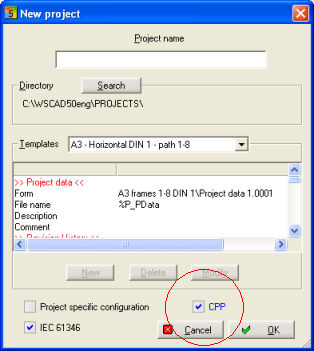
When you create a new project, mark the option CPP in the dialog.
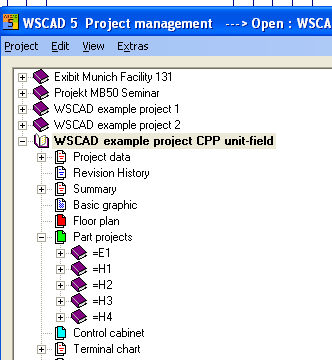
The project then automatically becomes a CPP project. Alternatively, switch into Project information of the existing project (in this case WSCAD CPP example project) and select the option CPP UFD (i.e. not standard) for the project settings under project mode in the right hand window. The CPP setting should be implemented immediately when creating the project. If you have selected the setting CPP UFD, then the display of the project tree with the folders changes.
Example