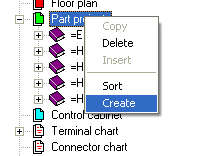
In order to create a new part-project, you must first open an existing CPP project. Click on the part-projects folder with the right mouse button and select the option Create from the context menu.
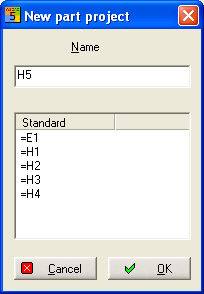
Alternatively, you can always use the main menu (in this case Project / New part-project ) instead of the context menu. A dialog now becomes active where you can enter the designation of the system identification. The list also shows which system identifications have already been assigned. After clicking on the OK button, the system identification (in this case H5) is generated as a new folder in the parent folder Part-projects.
An alternative possibility
is to select a WSCAD file
via the  . button. There, the system identification
is read out from the drawing frame and transferred to the dialog.
. button. There, the system identification
is read out from the drawing frame and transferred to the dialog.
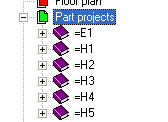
All parent folders data in this part-project are also transferred to this part-project at the same time i.e. all part-projects, for example, have identical drawing frames with the diagram pages as standard.