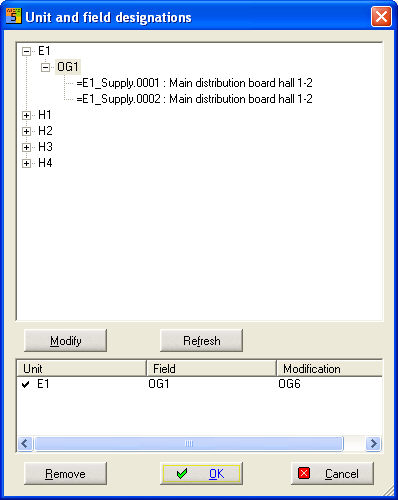
A dialog with all the applied system and location codes is displayed in the PM-menu under Extras / UFD Management. For this purpose, all the pages of the project are examined and the information is collected. With the help of the Modify box, the individual system or location codes can easily be modified for the entire project. All chart pages are updated. The files of the respective UFD are also displayed. With the additional "Update" box, the tree from the charts can be loaded again.
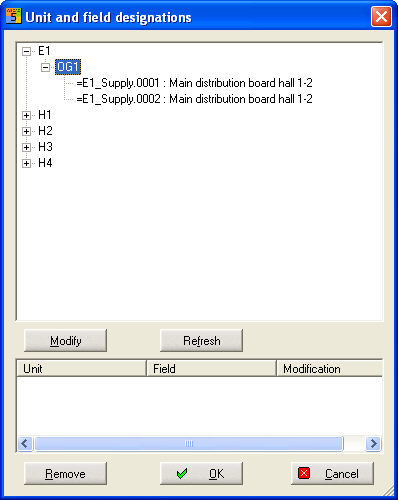
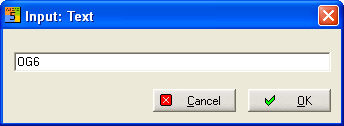
Select the Code that you want to change (here location code OG1), click on the Modify box and enter the new designator in the text entry field. All the modifications are now displayed in the bottom part of the dialog.
You see in the Edit-Field all modified UFD's.
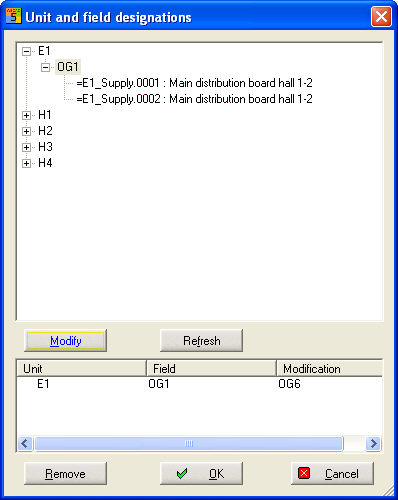
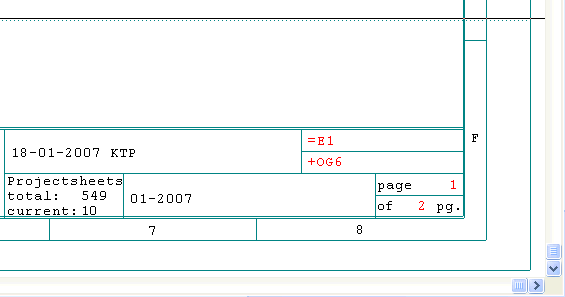
After clicking the OK button, the Field Designation is replaced on all diagram pages.