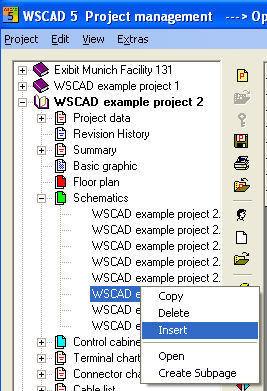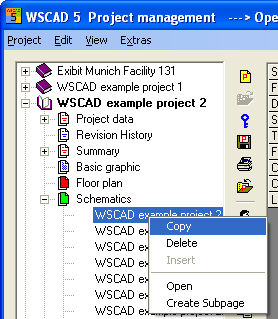
In order to copy an existing file of whatever type, it is only necessary to click on the file to be copied with the right mouse button and select the option Copy from the Context menu. This file may also be located in a project which is not open. (Check in the bottom display of the clipboard to see which file has been selected for copying).
Now switch to your open target project and select the folder into which the file is to be copied. The project which is to receive the file must be open. Now click with the right mouse button and select Paste from the context menu.