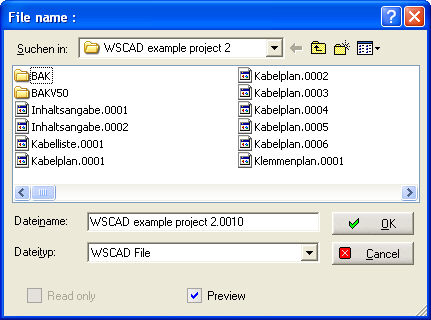

If you are only copying one file, then all the automatic management actions up to automatic numbering are executed depending on the configuration level (professional or compact) and parameter settings in the open (target) project. Keyword Cable manager, Protection manager, PLC manager and Plug manager. The file dialog opens with the preview and offers the default filename for the folder with the next available page number.
Save this name with Open and the file will be saved in the file circuit.
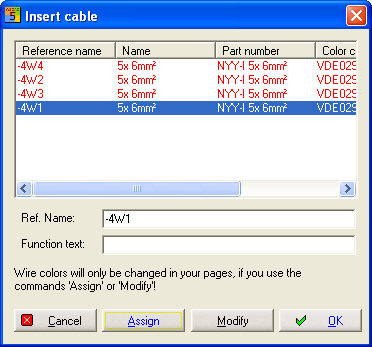
Each manager (Cable, Plug, Protection and PLC) starts up and reads the reference name of the component from the copied diagram and attempts to adjust the respective database accordingly. See below the examples on the left which are the reference names of the components which are currently available on the diagram and on the right the corrected reference names for these components which have consequently been re-saved in the managers.
Cable manager
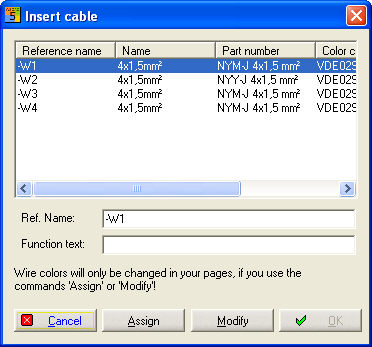
Above you see the content of cables in this sheet. Insert a new Reference Name and select the target cable which receive the new Reference Name by a double click.
Plug manager
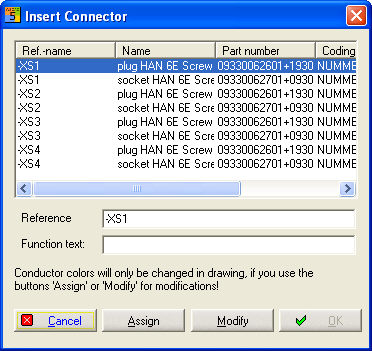
Here you see the content of connectors in this sheet. Insert a new Reference Name and select the target connector which receive the new Reference Name by a double click.
Contactor manager
A new reference name for each coil or contact is created and it's saved in the Contactor manager.

Here you can correct the assignment.
