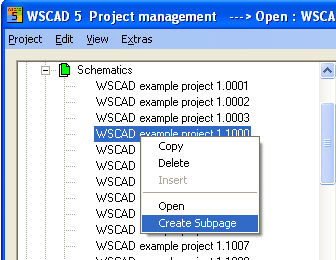
If you have to document extensions or changes etc. without changing existing drawings, then use the WSCAD 5 function of the circuit-diagram subpages. The subpages are generated on the relevant circuit-diagram page directly in the PM.
Select Create and a previously populated page-creation dialog opens.
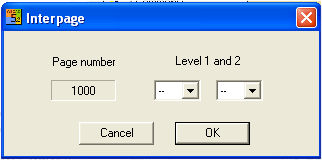
The current page number (1000) can be extended with characters (a-z) on 2 levels where Level 1 must be filled and Level 2 can be filled.
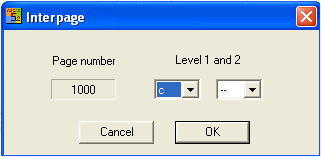
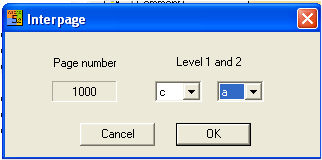
The circuit diagram subpages in the PM are sorted alphabetically.
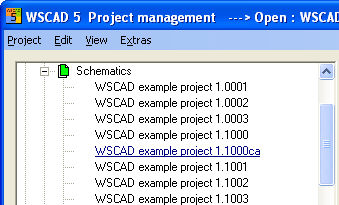
Further subpages can be created for circuit diagram subpages in exactly the same way by marking the circuit-diagram subpage, choosing the relevant subpage and then selecting Create in the context menu. You will then see the complete filename displayed again which you confirm by clicking on the OK button.