This function only applies within an open project.
The total evaluation should enable the user to have all the default lists (Cover sheet, Contents, Change lists, Cable lists, Cable diagrams, Plug diagrams, Terminal diagrams, Connection lists and Material lists etc.) generated automatically without ever first having to start the command for creating the relevant list manually.
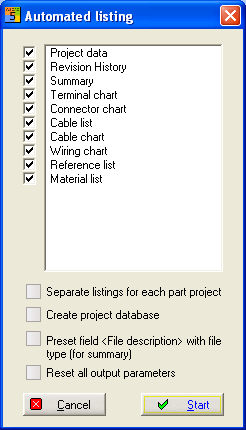
The lists are generated with the names used for saving them in the Project specifications. Select the PM menu option Tools / Automated listing. A dialog opens in which you can select all the evaluations you desire.
Start the process by clicking on the Start button.
Hint
Deactivate the option for the type of evaluation which you do not want to execute. The sequence in which the lists are shown here and therefore printed out, for example, can be configured beforehand by dragging-and-dropping the folder in the project tree.
The option Output into part-projects in each case (only possible with KTP projects) implies that the automatic evaluation only processes the individual part-projects one after the other. Therefore, prepare all lists, entered for each part-project but, for example, not a total material list.
A project database can also be created with all of the items used in the project by activating the option create project database.
The
option, Place text <file content> for contents information in
lists automatically has the effect of creating the described text
file content automatically for all lists prepared, e.g. Terminal diagram
X1, X2. This ensures that the text File content is entered for
all files in the contents information.
The option, Place text <file content> for contents information in lists automatically has the effect of creating the described text file content automatically for all lists prepared, e.g. Terminal diagram X1, X2. This ensures that the text File content is entered for all files in the contents information.
Caution
only possible when working with a project-specific configuration.
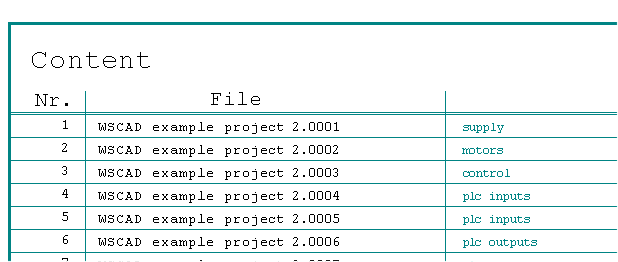
Examle Supplying the file WSCAD Example project 2.0001 with file content