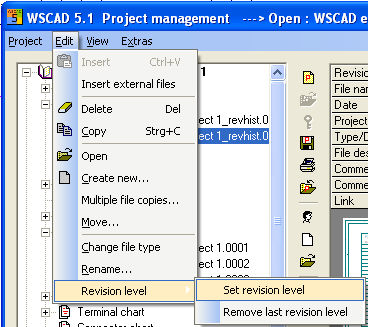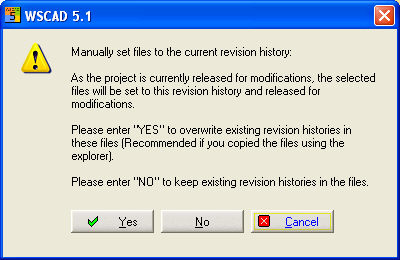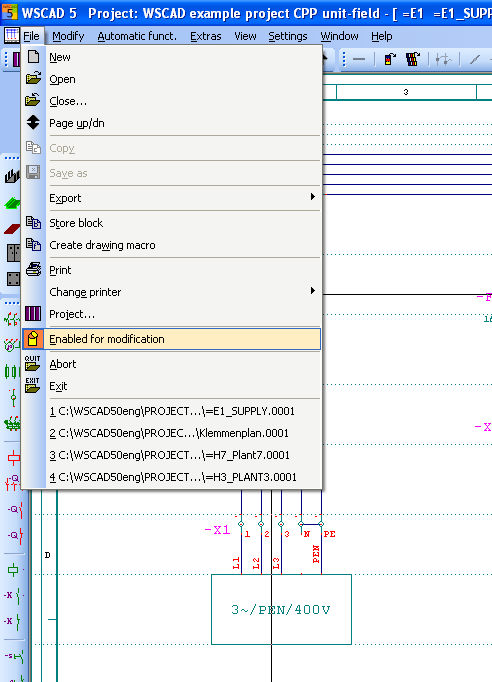
If editing has been enabled again by the start of a new revision level in the current project, then the editor must release each of the drawings which are to be changed. When you have opened the drawing, use the main menu File / enabled for modifications.
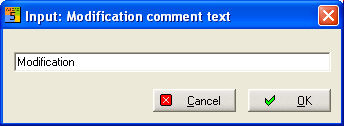
Then enter a comment to describe the change.
Otherwise, the operator only sees a shortened Editing menu in the main menu which does not allow changes.

Hint
You do not have to work with revision levels. However, if you decide to, this will activate certain rules by which you will have to abide later.
The wild cards in the drawing frame (normally bottom left) are also a visible reference to revision levels. The 3 fields on the left in the following screenshot are intended for revision levels while the area next to them on the right applies to the initial setup. In the PM for the respective initial setup on 03.04.01, also enter completed by editor Widmann and 2 further revision levels (B and C).
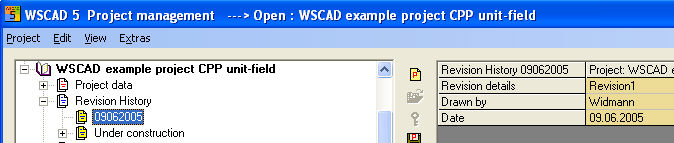
Hint
Altogether, 15 revision levels (with wild cards) can be managed in the drawing frame. 3 revision levels are usually configured. Using the new wild cards makes the use of a variable date superfluous. The wild cards contained in the drawing frame are updated automatically according to the revision levels.
If information on the project is changed in the PM, then the changes must be made in the drawing frame, such as whether the pages concerned have been released for changes or not.
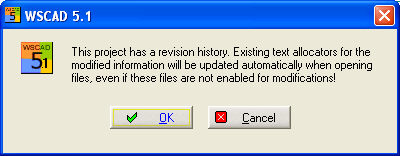
Mark those files in the project which are to be released and use the Project management menu / Set change state.
The switch AutoFileWrite=0 under the section [Config cross references] in the WS_PRJ51.INI file prevents accidental activation of the revision level by implementing the line cross reference for a circuit diagram page on which only the line cross reference has been re-written and otherwise none.