Nodes
 Component-pins and line ends that exactly
hit the end of a line are recognised as a connection without a node being
placed. Line ends, that exactly hit another line are also recognised as
a connection without a node being placed. A node can be placed at the
connection point to visually identify the connection.
Component-pins and line ends that exactly
hit the end of a line are recognised as a connection without a node being
placed. Line ends, that exactly hit another line are also recognised as
a connection without a node being placed. A node can be placed at the
connection point to visually identify the connection.
WSCAD
5 can automatically draw a connection line,
when the node is drawn on a line that is directly in line with a component
pin.
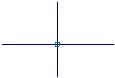
If two lines that cross each other are to be connected,
then the 'List generator' requires that a node be placed, at the connection point,
to recognize the connection. However, two lines that cross each other
are also recognised as a connection, if a segment of one of the lines
ends exactly on the other line. Nodes are always displayed on the
screen as squares. However, when plotting you have the option of
representing the nodes as circles.
TIP
With the 'Automatic Connection' mode
switched on (<F10> turns on/off), connection lines are drawn automatically
between components, if the component pins are exactly in line with each
other.