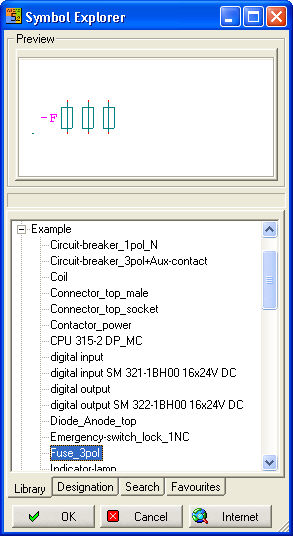
The Symbol Explorer interface makes it suited to virtually all methods of working. This functionality is available in all the versions (Basic, Compact and Professional). Start the Symbol Explorer via the menu item ‘Schematic - Load Symbol’.
It is no longer necessary to activate the library as in earlier versions.
Positioning the symbol in the schematic gives rise to further actions, dependent on such things as method of positioning (simple mouse click or double click), version of the program being used and parameter settings.
The dialog can be resized as you wish, likewise the split between preview and library view (whenever the cursor style changes ). The Symbol Explorer always displays the libraries which are located in the directories under ‘Settings – Common Settings – Directories’ in the lines ‘Libraries’ or ‘Libraries IEC . Which of the two directories is used will depend on the current setting in the Project manager for the active (open) project under the project data standard.