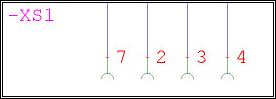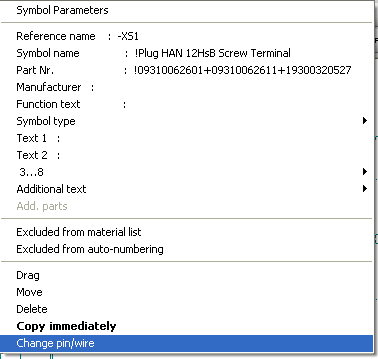
Click on a plug or socket symbol with the right mouse button.
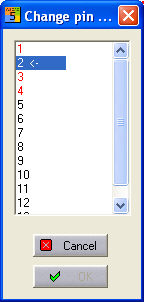
This opens up the associated context menu, select ‘Change pin / wire’. The numbering/lettering of the connector pins or sockets is displayed in a dialog and the connection of the currently selected pin is marked with an arrow.
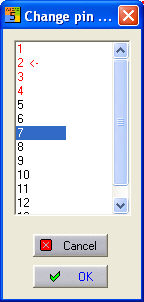
Select a free pin and confirm with OK . The new pin assignment will then be copied across.