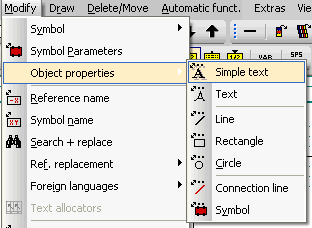
This menu command is located within the menu 'Modify'. The object properties (line type, line width, color, text size etc.) can be altered very easily here. Objects are Simple Text, Text, Line, Rectangle, Circle, Connection Line and Symbol. The changes are made with reference to the page and the selection, i.e. all the selected objects of one type within one page of the schematic can be modified identically. In order to carry out a modification at least one object must be selected ( by selecting with a window). It does not matter whether this has been done before the menu item is opened or subsequently.
First select the object type to be modified before you select any objects. This opens up a context menu.
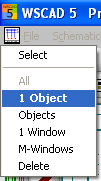
Choose the desired selection function and select a range or individual objects. Quit out from the procedure with the right mouse button or <ESC>. The number of modifiable properties depends on the object.