After the translation run, the relevant texts in the set of drawings are, strictly speaking, in 3 languages. These are, the host language and the two foreign languages.
Hint
Of the multilingual texts (host language and 1st + 2nd foreign language), only the highest can be selected or edited on the drawing in each case. They are displayed inter-dispersed.
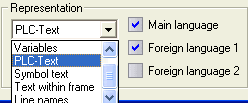
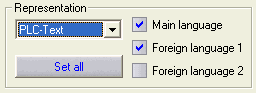
The language which you want to see can be specified in the Display group according to different categories. At least one language must be activated for each category at any one time. The All the same button copies the options Host language, 1st + 2nd Foreign language for all text types under the display area.
Hint
If one foreign language is activated but the foreign language text is empty, then the text is displayed in the host language.