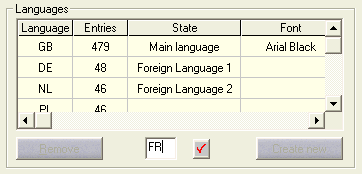
Install a foreign language
Using the menu command Change / Foreign languages / Manage+Translate, the Lexicon dialog appears, click on the Install new button in the language group. If no foreign languages are set in the table, the Translate button is inactive. Enter the language abbreviation (e.g. FR) in the activated entry field and click on the button to the right of it.
The new language will appear in the table and a new column will be set up for it in the lexicon.
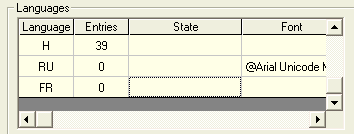
Deleting a foreign language
Click in a field of the language concerned and then click on the Delete button. After a prompt for confirmation, the language is deleted.
Hint
In the lexicon, the entire column is deleted with all the entries.