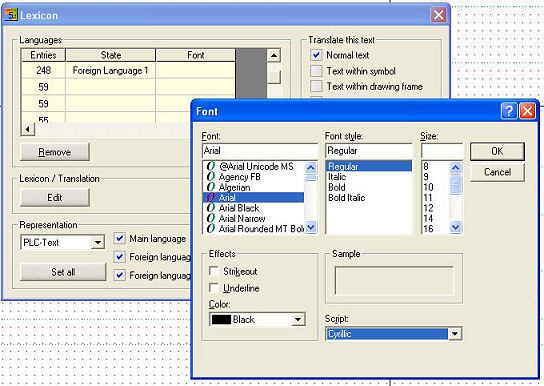
With the foreign language display, it may be necessary to use a special character set. With a double click in the Character set column, the Windows standard dialog appears for selecting the font. When you select a character set, its name is transferred to the table:
In order to delete a character set, select the field with one click of the mouse and then press the <Del> key.
Hint
WSCAD 5 normally recognises four different character sets (general text + 3 free texts). A language-specific definition affects the way that all of the texts of the foreign language concerned are displayed but only the font, the font size and the style are adopted from the general font configuration.