Contactor
 The 'Contactor'
command allows you to change the type of contactor that is being used
in a circuit. To change a contactor, select the command and then identify
the contactor to be changed, using the left mouse button (or <Enter>
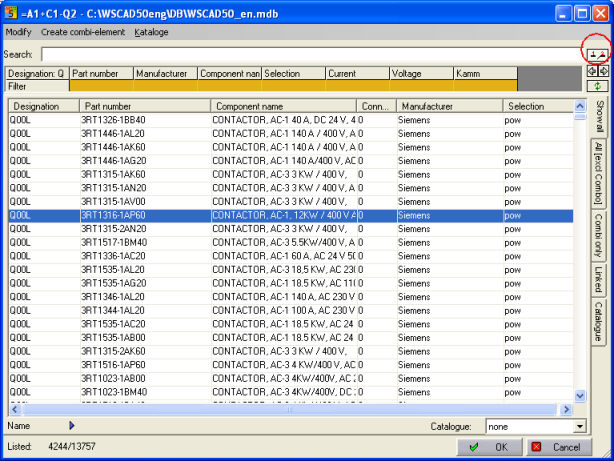
key). Once the contactor has been identified, a list of available
contactors, in the database, is displayed in a menu window. Select the
required contactor from the list and the 'Symbol parameters' menu appears showing
the parameters for the component and the new part number of the contactor.
At this point additional changes can be made to the parameters, or the
'Symbol
parameters'
menu can
be dismissed by pressing the right mouse button (or <ESC> key).
The 'Contactor'
command allows you to change the type of contactor that is being used
in a circuit. To change a contactor, select the command and then identify
the contactor to be changed, using the left mouse button (or <Enter>
key). Once the contactor has been identified, a list of available
contactors, in the database, is displayed in a menu window. Select the
required contactor from the list and the 'Symbol parameters' menu appears showing
the parameters for the component and the new part number of the contactor.
At this point additional changes can be made to the parameters, or the
'Symbol
parameters'
menu can
be dismissed by pressing the right mouse button (or <ESC> key).
Hint
If you change the contactor, the new
comb is loaded and the cross-reference text at comb and contacts will
be regenerated. The configuration determines if the pin numbers can be
retained, or if the pin numbers are assigned new