 The 'Search
+ Replace' command allows you to search for some entities, lines,
text etc. throughout the drawing, and to replace them with specified changes.
The 'Search
+ Replace' command allows you to search for some entities, lines,
text etc. throughout the drawing, and to replace them with specified changes.
The 'Search
+ Replace' command allows you to search for some entities, lines,
text etc. throughout the drawing, and to replace them with specified changes.
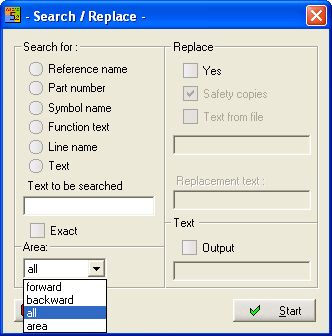
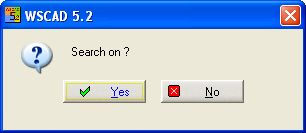
If a text was found then the search goes on or not.
The 'Search + Replace' command allows you to search for
Reference name
Part number
Component name
Function text
Line name
Text (incl. Simple text)
Text to be searched
Here you enter the text for searching. It could be only the beginning of the text minimum one character. If the text should have multiline style, you must enter '\n' for each line feed.
Area:
Determine the direction of search from the actual page.
forward smaller page numbers
backward bigger page numbers
all pages from the current file type
area all
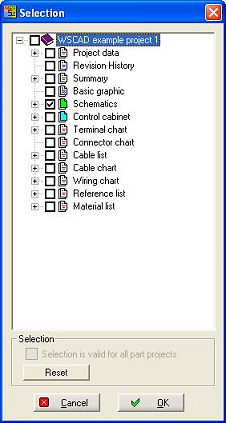
selected folders or files. Reset
clear all selections.
Exact
If an exact match is required or if text containing the words. Note that the search process is case sensitive. If the Exact is not set, only a small part of a text must be entered, but the whole text will be replaced. Text attributes such as size, colour, direction or position remain unchanged.
Example
|
Existing: |
Testword |
|
Search for |
Test |
|
Replace with |
New word |
|
Result: |
Testword -> New word |
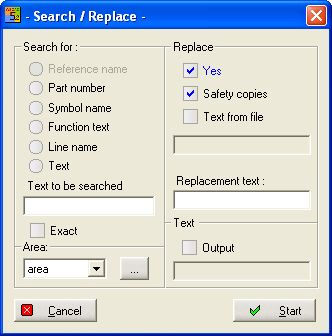
Replace
If Yes is selected you can replace the following text:
Component name
Part number
Function text
Line name
Text (incl. Simple text)
Note
You cannot replace reference names (use the command 'Modify - reference name') and part numbers of coils and contacts in the professional module, if the contactor manager is enabled (use the command 'Modify - Comp. parameters - Part number).
Safety copies
Creates a copy from all files in the SAFE subfolder.
Replacement text
Here you enter the replacement text.
Text from file or Output (to a file)
If Output is selected, all text will be written to a text file. WSCAD 5 shows the standard Windows File open dialog for the output file.
If Text from file is selected the path and file name must be entered in the dialog. The first line is the (output) text, the next line is an empty line, here you enter the replacement text. The size of the text file doesn't matter, but the line length is limited to 200 characters.