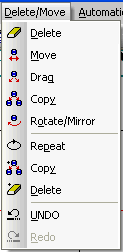
The commands on the 'Delete/Modify' menu are used to manipulate existing elements on a drawing
The commands available include delete, move, drag, copy, rotate and mirror as well as undo and redo. The functions are not limited to components, but also operate on all other elements within the drawing, including text and elements created with the 'Draw' commands.
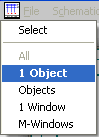
Apart from undo and redo, in order to manipulate an element, it has to be selected first. After choosing a command, a menu appears providing the options available for selecting elements. There are four methods by which an element or elements can be selected.