The 'Calculate dimensions' function calculates the lengths and areas of Control cabinet components.
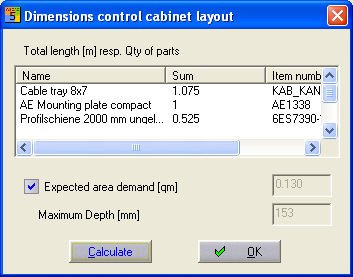
With the CCM menu command 'Automatic - calculate dimensions' you get the following dialog:
The Calculate button starts up the calculation across every page of the drawing. Each supplement part is shown on a separate row in the list. For fixed components such as back plates the number of parts is shown as a total, for extendable components the total length is given in metres 'm'. In addition, even before a Control cabinet is constructed, the surface area requirements for all the parts in the component list can be calculated. This sum is also governed by the current selection in the UFD list field (e.g. a unit designation). In addition the maximum depth is also calculated. This is useful for determining the necessary depth of the cabinet.