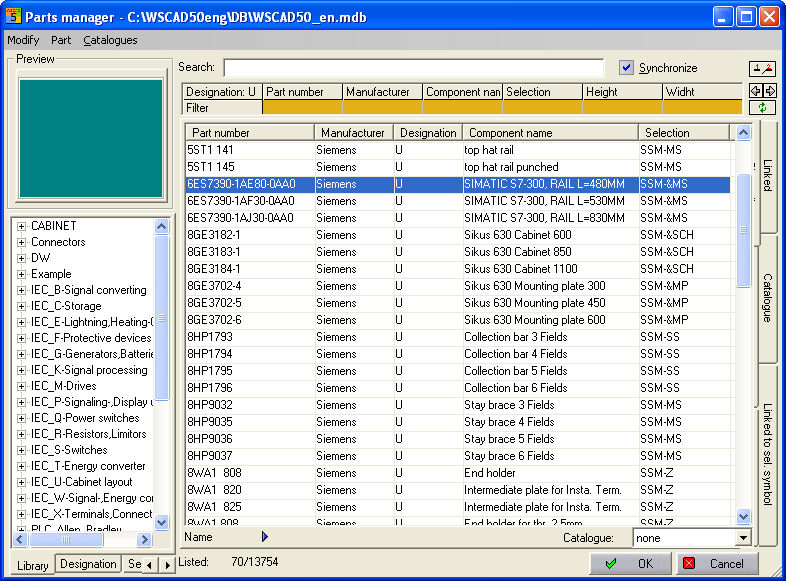
In order to place the additional parts easily with the CCM, certain entries are needed in the parts database. All your additional parts such as back plates, cable channels and mounting rails are activated by selecting them for use in the CCM.
Hint
The additional parts stored in the parts database must be specified by selecting them separately.
The fixed-size components such as Control cabinets or mounting plates are specified with the abbreviation SSM&… The extendable components such as cable channels or guard rails are given the abbreviation SSM-… The following table illustrates the uses of abbreviations:
|
Element |
Abbreviation |
|
Mounting plate |
SSM-&MP |
|
Cabinet |
SSM-&SCH |
|
Cable tray |
SSM-KK |
|
Stay brace |
SSM-MS |
|
Top hat rail |
SSM-MS |
|
Collection bar |
SSM-SS |
|
End holder |
SSM-&Z |
|
Separator |
SSM-&Z |
|
Intermediate plate |
SSM-&Z |
Example
Hint
The abbreviations above have been created arbitrarily and refer to the selection of the symbols in the library 'Cabinet.bib'.
Can be created by entering into the Width field in the parts database a value corresponding to the diameter of the round component. You must not specify a Height.