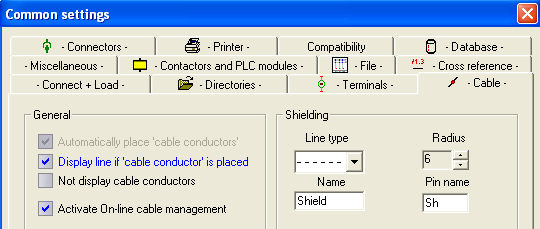
The Cable manager enables you to easily allocate wires within multicore cables, and assign colour code schemes to the wires.
The option for activating the online Cable manager can be found under 'Settings - Common Settings –(tab) Cables'.
The Cable manager works with an ACCESS database which contains the data on the cables being used.
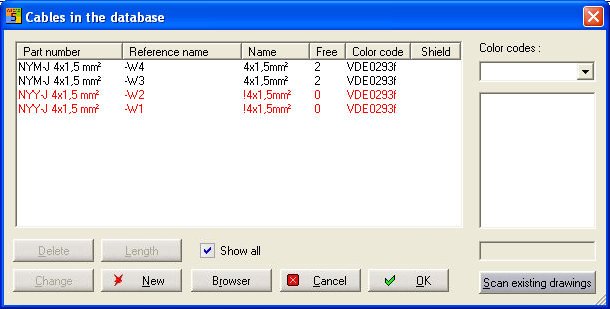
You can see, together with other information, the quantity of free wires and the assigned colour code. If the column 'Shield' shows a '+', based on the information of the material database the cable has a shield. If the option 'Show all' is NOT selected, only cables with free wires are listed (or cables with a shield, if you are assigning a cable shield). If you now add a cable to your project or remove one, the changes will be monitored in the background by the Cable manager and updated automatically.
By pressing the button Length the length can be entered directly at an edit box . The value can be used for Material list and Cable list.
Hint
If the Online Cable manager is not activated, you can open the cable manager dialog manually, although any changes will not be automatically recorded. This means that the state of the cable database could differ from the content of the drawing.