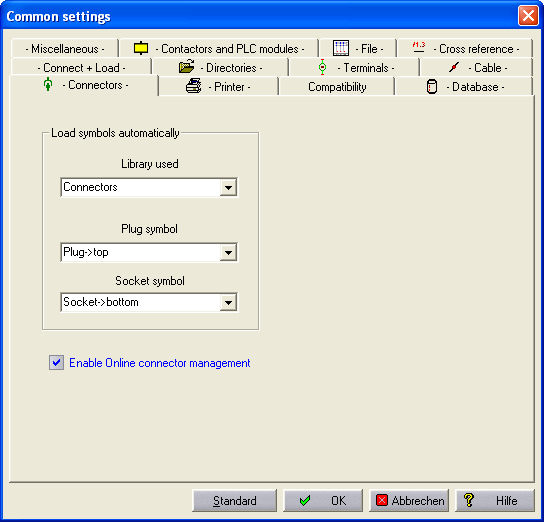
The Connector manager is a feature of Professional module. This functionality offers you a detailed overview of all the plugs and sockets in use in the current project. The individual connections are checked using the parts manager and compared with the assigned coding in the WSCAD-Codes.MDB . The Online Connector manager is activated with ‘Settings – Common Settings – Connectors. For the menu items ‘Schematic - Connector – Plug’ or ‘- Socket’ or ‘- Plug+Socket’, the dialog above must be set.
If you load a Plug or a Socket via the Schematic - Load Symbol command, other symbols can then be used by this method.
Used library
The library to be used is selected.
Plug symbol
The symbol to be used for the plugs is taken from the used Library . The symbol must be of the component type Plug!
Socket symbol
The symbol for the sockets is also taken from the used Library. The symbol must be of the component type Socket!