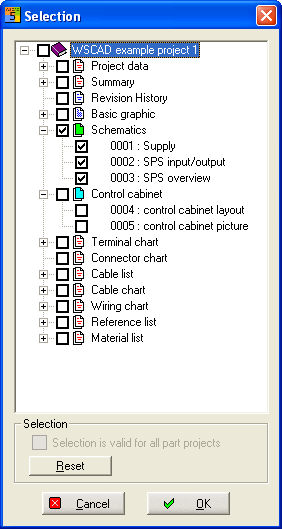
With the menu command Automatic funt. / Replace drawing frame, you can replace the frame of your schematics for an entire project. For this all the data from the schematics type and control cabinet structure of an entire project will be processed.
Important
We urgently recommend making back-up copies of an existing project! This is why before each start of the replacement process, you are presented once more with a corresponding access dialog, even if the option for an automatic back-up copy of the drawing under Settings / Common settings / File is disabled.
After the start of this command, you are asked to choose a new drawing frame. This must have the file type drawing frame, and the borders must be defined. This cannot be done with the drawing frame of a previous WSCAD versions; therefore, these are not supported. Should the missing borders be the only problem, you will receive a dialog asking you if the borders of the current sheet are also to be applied for these pages. Thus you can adapt only one page without border data in a project and then deal with all the other pages on this basis.
After frame selection this is the next dialog.
If vertical / horizontal or format (A3 / A4) of sheet and frame differ, no exchange is carried out. Since all the files are modified by automatic replacement, the files of the current project are subject to a control check before the replacement process. In case any problems are discovered, you will receive a dialog with corresponding information for each page.
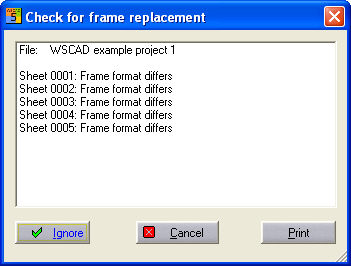
With 'Print' the dialog remains; with 'Cancel' the process is discontinued.
Note
You should in any case remove the discovered problems before carrying out the replacement process. If you wish to see the result on your list printer, simply click the Print button.
You can (although this is not recommended) ignore the error messages by clicking the Continue button. Files are also excluded from the replacement process if their sheet format differs from the drawing frame or if there is no space for the new frame in the drawing memory.
Variables as well as system and location codes are copied in the replacement process as long as they exist in the new drawing frame.
Note
Ensure that the new frame has at least system codes, particularly with CPP projects.