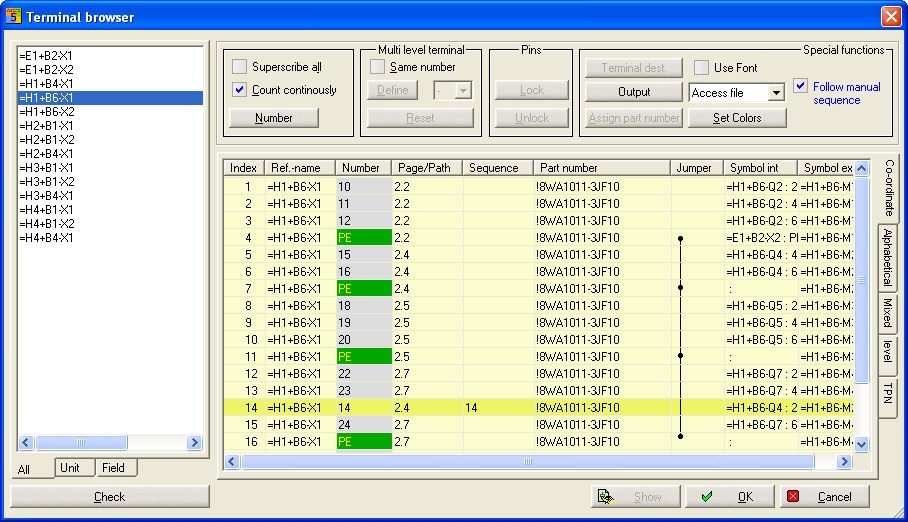
The sequence of terminal connections displayed can be changed manually by marking the Terminal connection field in the Sequence column and entering the position value there. The value is saved by pressing Return and the next field in the Sequence column then becomes active. This does not affect the terminal number.
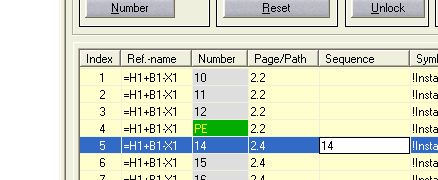
Note the option Take into account manual sequence. This option must be activated if the Sequence column is not to be disregarded on the display. In the example, you will see that Terminal 14 is displayed at Position 14. This function can be used to set up the terminal diagram.
Special function
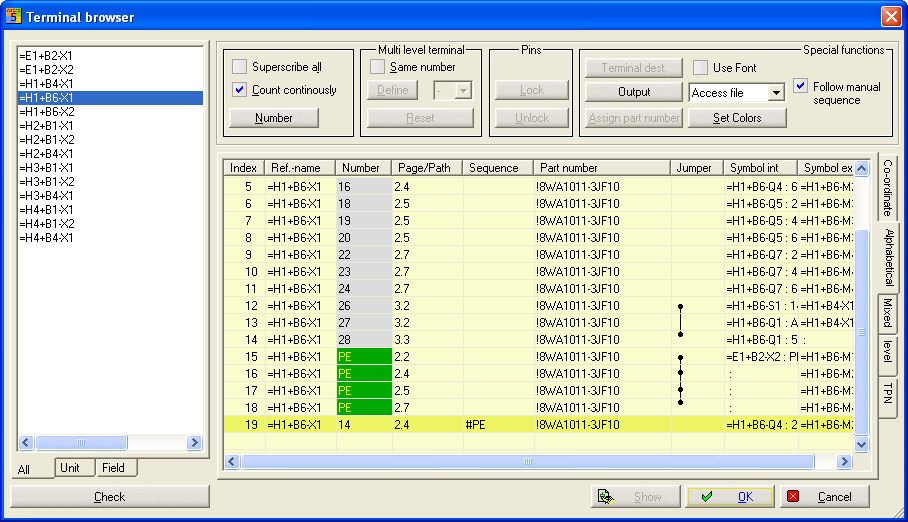
This function can be used especially for PE and N (text in general) by entering, for example, #PE in the sequence field and then the terminal connection so labelled is automatically placed behind the last PE terminal.
Output medium and output sequence
The target for the output can be determined in the selection field Output unit.
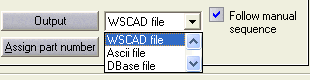
In the Compact version, WSCAD and Printer only.
After the menu command for the output unit has been activated, the filename of the new terminal diagram being created must be entered in the File dialog and then the desired terminal form which is to be used as the basis for the output selected in the next File dialog. This is necessary in order to define the values and the position on the graphics to be output. The sequence of the terminals output can be predetermined using the option Take into account manual sequence.