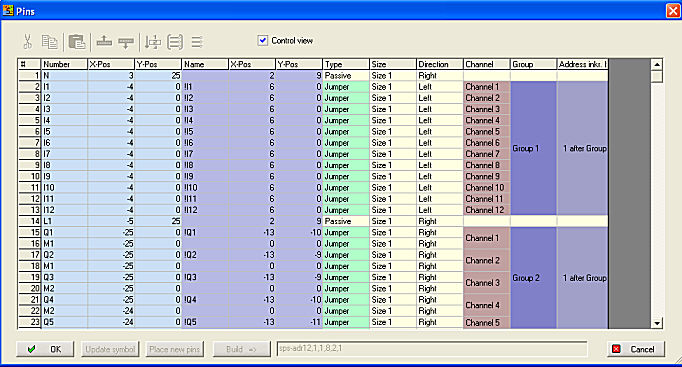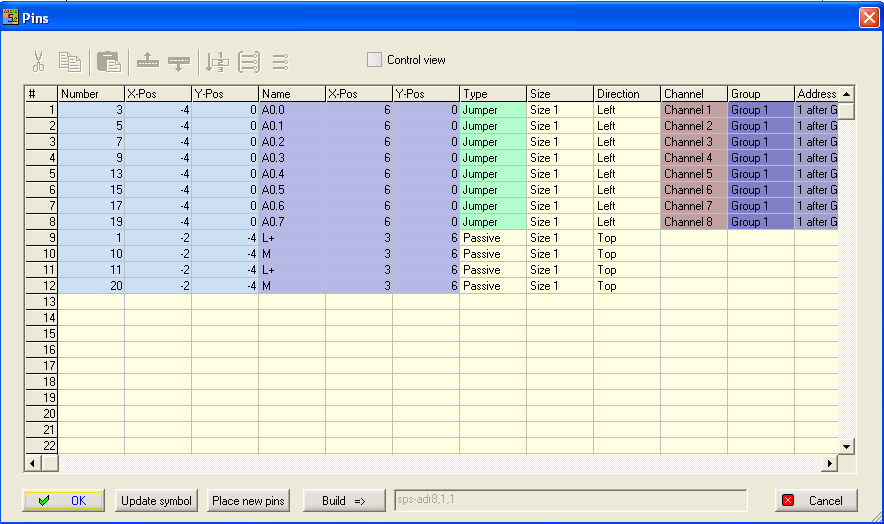
The pin table makes it possible to work on in a view to edit all pins and add also new. The symbol body must be present to call the pin table.
Columns at the dialogue (the columns are fix):
Funktions:
Control view changes the viewing of the channels and groups. The option causes an optically functional summary of the individual groups. The option switched off, shows each channel individually. Only this enables the other functions.
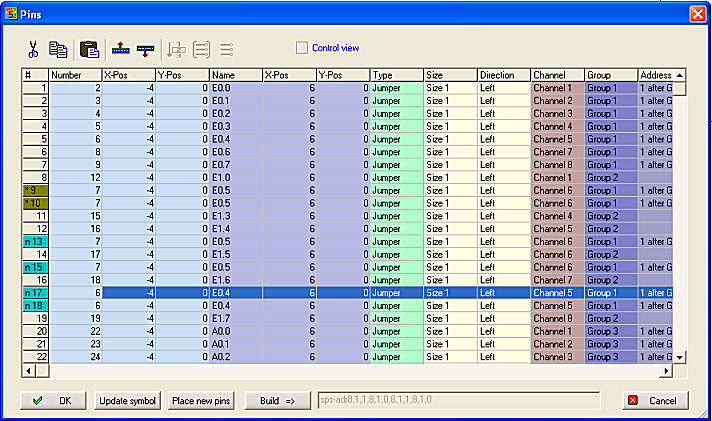
Copy paste and Cut allows to multiply the connections. Select for this either a line (click into the line number) or an single field. If you select then the instruction (Copy, Cut) click now on the insert line or the field and use the insert function (Ctrl+V or insert Insert above and/or Insert below). By inserting with Ctrl+V the lines are overwritten with Insert above and/or below you get an new entry. See the markings in the line number.
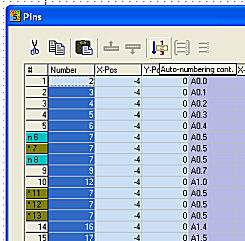
The columns Number and Name can be marked completely by a click at the header. The instruction Auto-numbering cont. creates a continuos numbering.
The Addressing (just Jumper) of the channels and the Group assignment can be shown optically (Control view out). In the explored view it is possible to determine a channel number for each channel. You have to select all channels of a group then use the button Define channels and set the Number of channels per group (1...8).

Select all channels belonging to a group then use the button Define group . The Address Offset will be automatically created. The Offset can be adjusted in the PLC addressing dialogue.
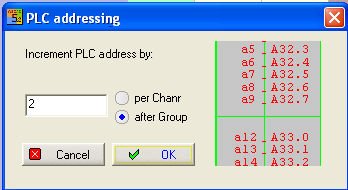
The Control view shows you the parameters optically.