As new fields can be added to the ACCESS database, parts management must be able to display all the new fields. The following field types are supported for the additional database fields:
Text
Double
Long
Memo
Currency
This enlargement can be done with Microsoft ACCESS. Apply format ACCESS 2000 or ACCESS 97!!!
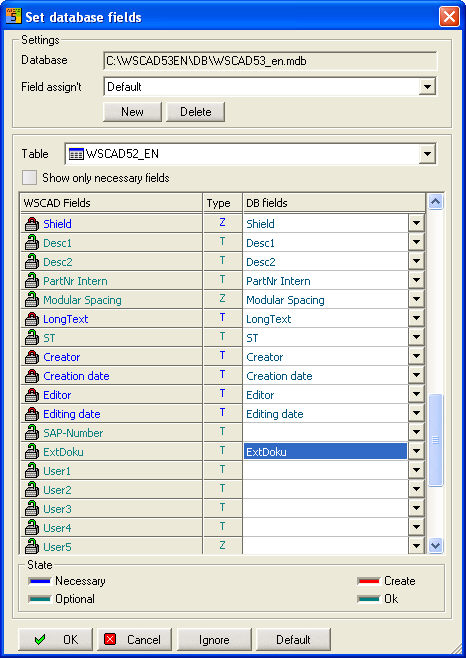
If you have created fields in your ACCESS database, you will want to use them in parts management. Open the latter, switch over to this interface with the menu item Extras / Set database fields and deactivate the option Display only necessary fields.
Now search, for example, for the User field 1 or ExtDocu (left) and select the additional database fields via the combo box (right) or simply enter a name. Confirm the transfer with OK.
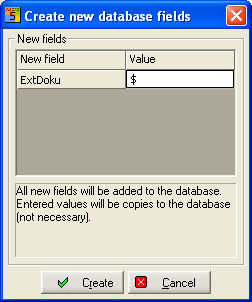
Define new DB fields:
The fields are created only in the database.
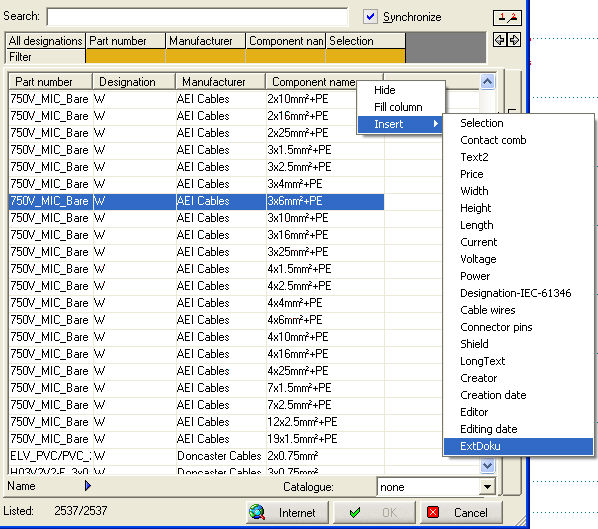
In parts management, you now click with the right mouse button at the position in the column headings where you want to have the additional field displayed. Then select Insert in the first context menu and your field which you want to see.