The menu option Edit / Change Online (quicker by using function key <F2> or double clicking on the field) enables the data record to be changed directly in the Item Database Manager.
Navigation
You can move the active field in the dialog by using the arrow keys ¬®¯. Use the keyboard to make an entry in the field (double click in exactly the same way). When editing, use the <Tab> key to jump to the next field (and <Shift> +<Tab> to jump to the previous field).
Deleting an part entry
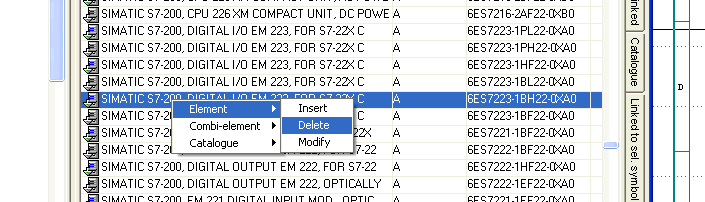
The currently selected data record is deleted under the menu option Edit / Delete (invoked more quickly via the function key F8).
Quick data record editing. Click on the data record with the right mouse button and a context menu will open with all the functions again as described above.