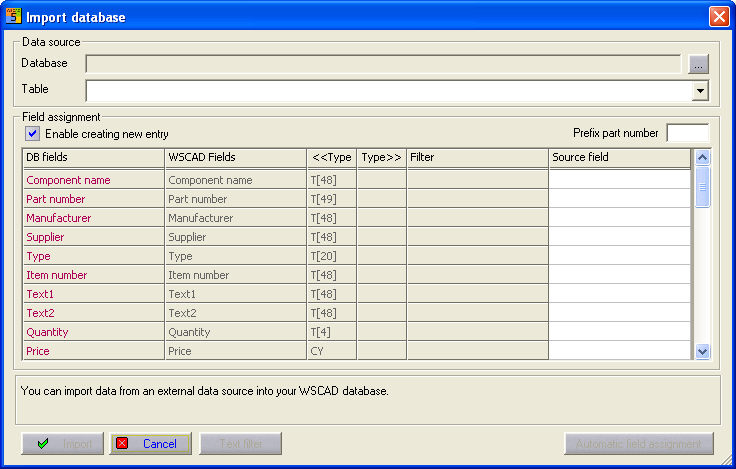
ACCESS data, CSV data and Datanorm 4.0 files can be read into the selected ACCESS database. Select the menu option Extras / Import database. The setting under the Creation of new part possible option is crucial. If the option is set, the item numbers (source field > DB field) are compared and new part numbers are transferred complete but previously existing part numbers are only updated. If the option is not set, then only the existing part numbers are updated.
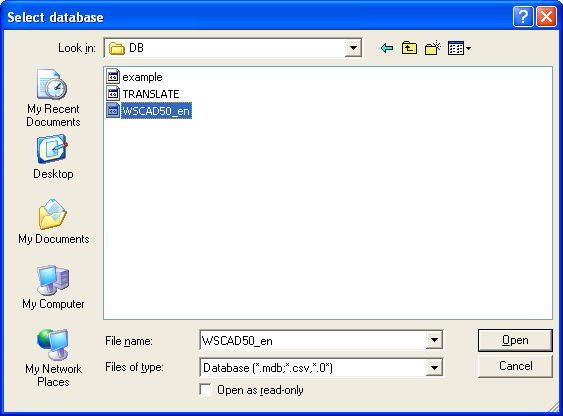
In the dialog, select the database file (import database) at the top from which you wish to import the data. With File type, you decide on the data format (ACCESS, CSV or Datanorm).
Under Table, select the table to be selected in the import database (ACCESS databases only). Select the fields (Source field) of the import database with the contents which are to be imported into the WSCAD fields. The automatic field assignment attempts to assign fields automatically by name derivation.
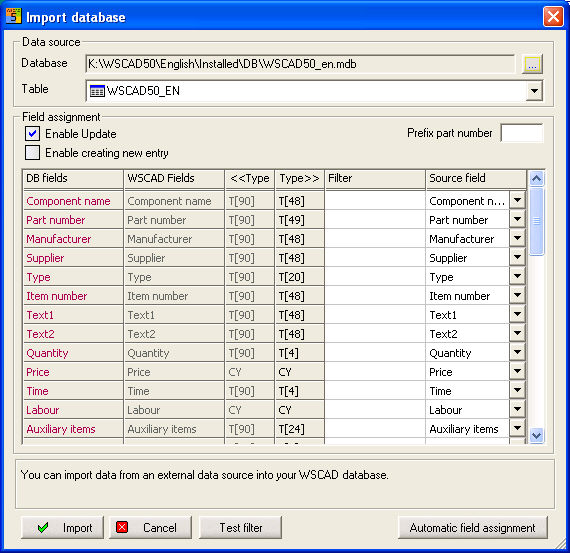
Cancel aborts the whole process. Item prefix defines the character in front of the actual item name. This is for the identification of different wholesaler catalogues which can be read in with Datanorm 4.0. (e.g. Froe for Fröschl). Now start the process by clicking on the Import button. Take into account the Creation of new item possible setting.