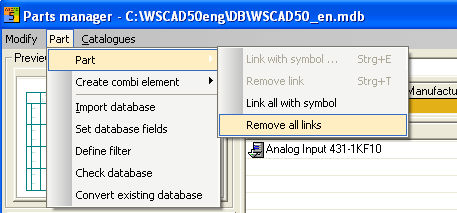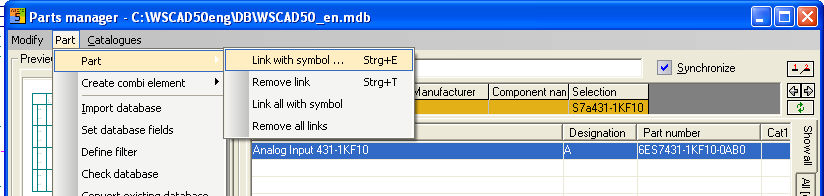
You can permanently connect item numbers to symbols. The advantage of this is that when you select a symbol, the associated item number is displayed automatically. In order to make the connection, first mark the symbol and then the item concerned.
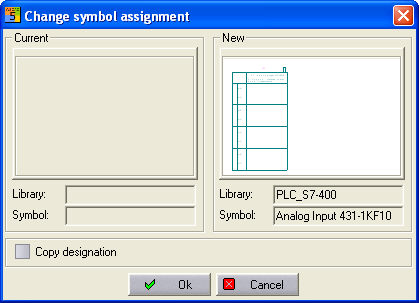
Execute the menu option Extras / Part/ Link with symbol (shortcut <Ctrl>+E). This starts an assignment dialog which would otherwise show you a previous connection, but existing connection are overwritten during this process). You can generate the (new) connection by clicking on OK.
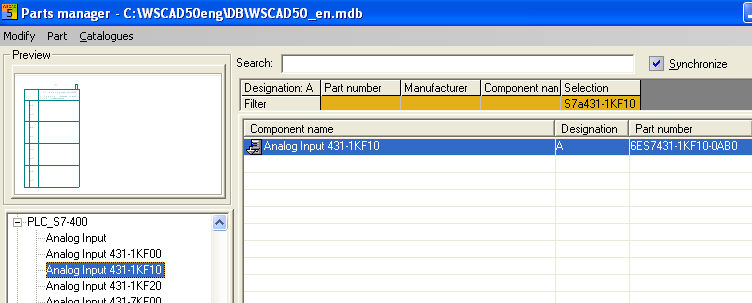
Existing links can be removed under the menu option Extras / Parts / Remove link (shortcut <Ctrl>+T)
The menu option Extras/ Parts / Link all with symbol connects the marked symbol to all item numbers displayed by the filtering feature. The menu option Extras/ Parts / Remove all links removes these connections (this applies to all filtered data records). The process takes place after clicking on a message dialog in each case.