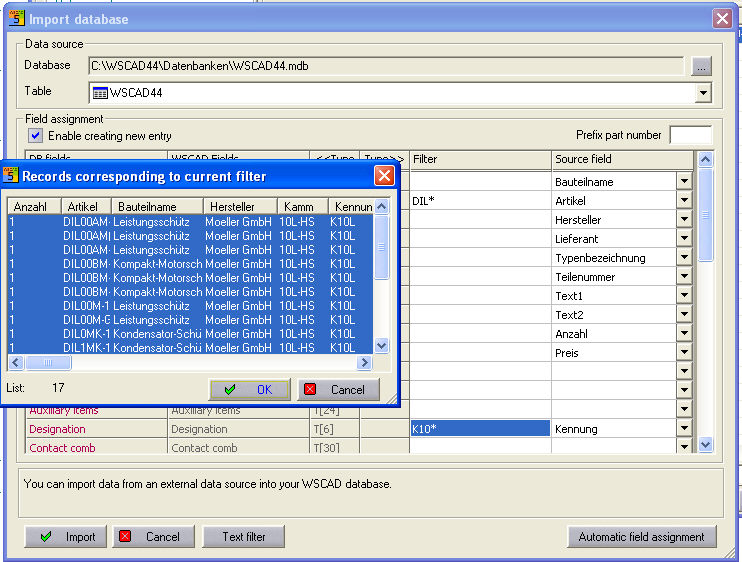
Data transfer into the WSCAD database

 All the fields of
a WSCAD database can be attached to the current database automatically.
In the dialog, select the database file (import database)
at the top from which you wish to import the data. The data format (ACCESS,
CSV or Datanorm) is selected with File type.
All the fields of
a WSCAD database can be attached to the current database automatically.
In the dialog, select the database file (import database)
at the top from which you wish to import the data. The data format (ACCESS,
CSV or Datanorm) is selected with File type.
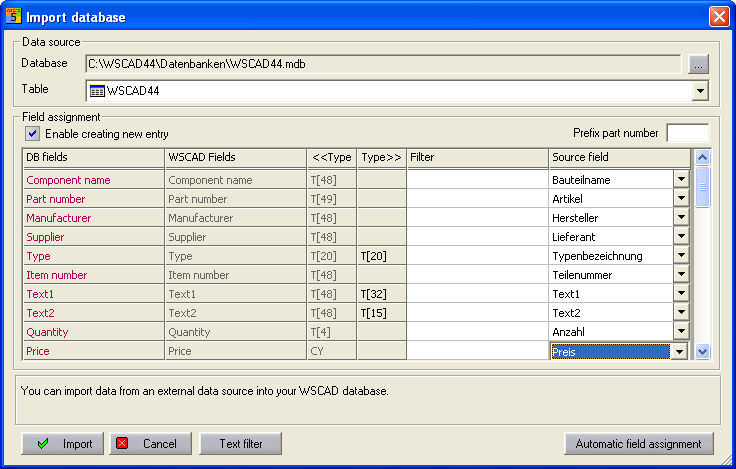
Complete transfer
With Complete transfer, no setting
of filters, all values (if not already present) are transferred to
the currently selected WSCAD database.
The setting under the Creation of new item
possible option is crucial. Once the option is set, the item numbers (source
field > DB field) are compared and new item numbers are
transferred complete but previously existing item numbers are only
updated. If the option
is not set, then only the existing item numbers are updated.
Caution
In general, only the settings
which are made in the Source field are transferred to the main database
or updated.
The number of database entries which are
yet to be edited are displayed on the status bar on the bottom border
of the screen.
Selective transfer
After specifying the filter via
the Test filter button for the selective transfer, a preview
appears on the screen.
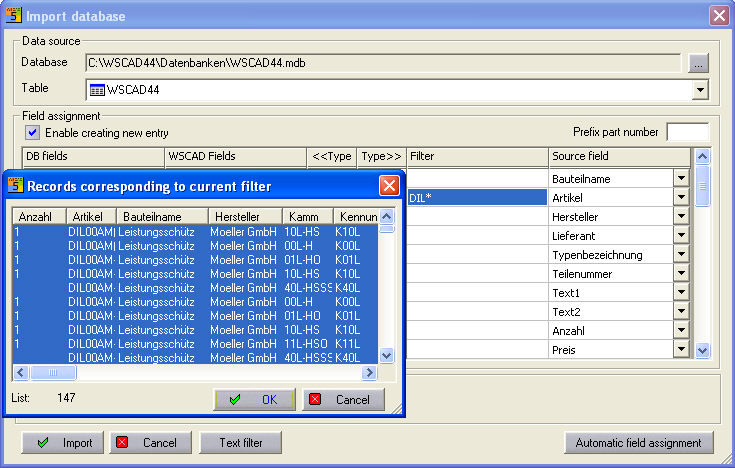
This filter is AND-linked,
i.e. if you wish to implement further restrictions, you will only need
to do this in the respective filter field. You can also select
several entries (<Ctrl> button with the left mouse button held down)
or a range (<Shift> key with the left mouse button held down). The
dialog is terminated with OK and any entries which have been selected
are then copied.