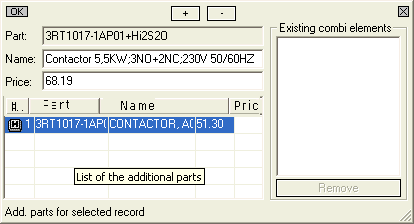
Select an existing combination element (taking into consideration the other filter settings as well) and confirm with <Ctrl>+B. All active fields can be edited.
The number of Parts selected can be changed with + and -.
The OK dialog button saves the changes and X aborts them.