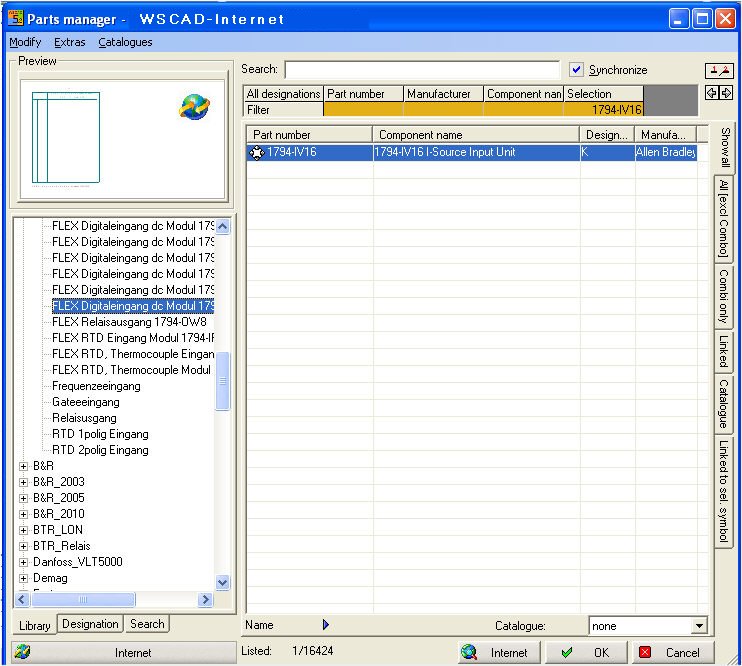
The Part manager is able to connect the WSCAD-Server directly. On the Server there are a lot of symbols and material data ready for downloading. The number of available symbols and data rises always.
Restrictions or functionalities
The Comb preview is not available
The Search function don't work , but the Filter function work well
Part numbers cannot be deleted, entered or changed
Synchronisation is available if both views works with Internet option
Internet-data search with Filters and Internet-symbols search with Search-Tab
Part manager menu is without function
The symbol and material data are always complete. Symbol and material data are always linked.
Both buttons Internet starts the connection to the WSCAD-Server and shows the content. The header changes to WSCAD-Internet and at the symbols you see a globe.
All part numbers were imported after pressing the OK button.