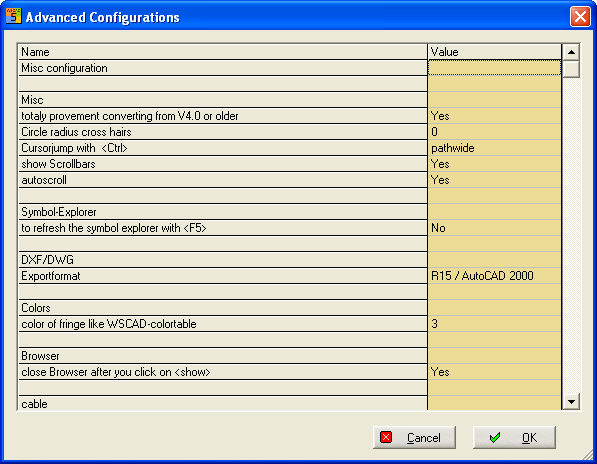
The expert settings serve for changing the program parameters according to the user’s wishes. The Advanced configuration dialog concerns the settings in the configuration files *.INI in the CFG directory. This is opened via the menu Extras / Utility programs / System files / Expert settings. Only entries that are contained in a Wsini5x.dat makefile can be displayed. This file must be in the WSCAD5x / CFG directory. Values that are not contained in this file cannot be modified directly via the interface.
Example:
If you set the option Browser / Close browser at <Show> to No, the browser will remain visible.
Other INI switches:
With WSPRJ5xAT.INI you can have all references written in bold type:
[MISC]
BoldRefNames=1
WSWIN53AT.INI
[MISC]
ShowElementsWithEmptySelection=1 (Default=1)
1- Also list elements with empty selection in parts management,
0- List only elements with corresponding selection in parts management.