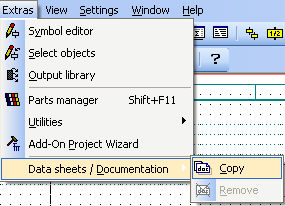
An ExtDocu sub directory is automatically created in the WSCAD5x program directory. This should be used, for example, in order to save technical data sheets of equipment (e.g. as PDF-file). From version 5.3, an ExtDocu field is available in the WSCAD parts database. In this field, you can assign the path of the described document for each part. If you are using older WSCAD databases or your own, then you can generate this field yourself with the help of the parts management function Set database fields.
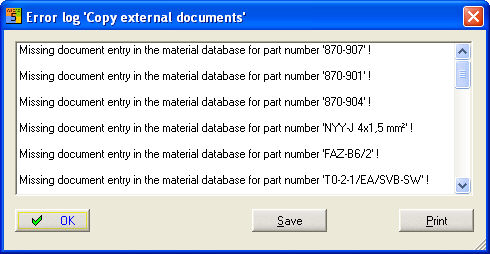
Here a project subdirectory (ExtDocu name is defined) is created into which all external documentation is copied. This is only possible if at least one used part in the database has reference to external documentation. After the copying is completed, all parts entries which do not have an external document entry will be listed. This list can be printed out.
With this menu item, the project sub directory ExtDocu can be deleted.
The subdirectory can also be deleted here.