 WSCAD
5 supports TrueType fonts for screen and printer/plotter output.
WSCAD
5 supports TrueType fonts for screen and printer/plotter output.
WSCAD
5 supports TrueType fonts for screen and printer/plotter output.
It depends on your system as to which fonts are available. Normally you can find Arial and Courier New on all systems.
WSCAD 5 supports the following text types:
Simple text, as used for all Symbol parameters like function text or part number
Text in three different styles (Standard, Propo, Special)
The following dialog shows you the settings available for screen and printer:
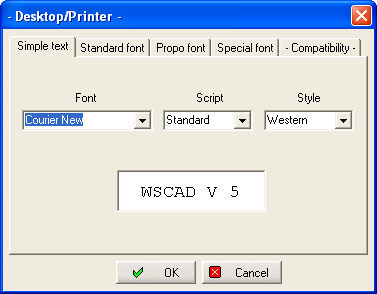
The style is very important if you need special character sets for eastern countries. You can select a font from the list available on your system. You can also select script and style for every font, but these attributes are only effective is the compatibility is set to Mode 3! For 'Simple text' only monospaced fonts are listed. For the type 'text' you can select any TrueType font available on your system.
Hint
You can also use special fonts like 'Wingdings' or even foreign language fonts, if your system is set up for these.
An optimised font manager is used when the option 'Mode 3: Optimal text scaling' is selected.
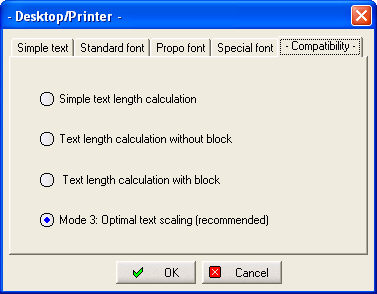
This should be the standard mode. All other modes are only useful if you have to display older projects in the conventional style.
Hint
There is no longer any differentiation between fonts for screen and plotter. The only output devices supported are those allowing True Type fonts.