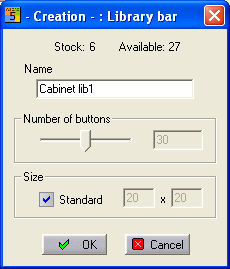
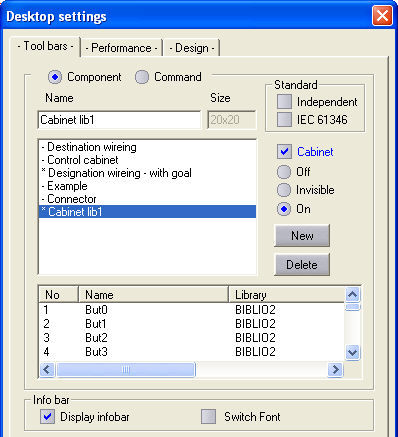
The cabinet bars are generated under the menu option Parameters / Desktop. In the associated dialog, select the tab Function bars and there set the option cabinet . Next, click on the button New and enter the name of the library bar in the field Designation. The Number-of-buttons slider bar gives the number of buttons which are initially available.
Now label the new library bar as the type Cabinet.
Drawing the symbols on buttons
The buttons of cabinet library bars are drawn on in the symbol editor by loading the symbol concerned in the editor and activating the cabinet library bar. Click on the Library button which you want to accept the symbol with the right mouse button and select Draw in the context menu. The window function of the cursor can be used to draw the outline. The symbol is now copied graphically onto the library bar.
