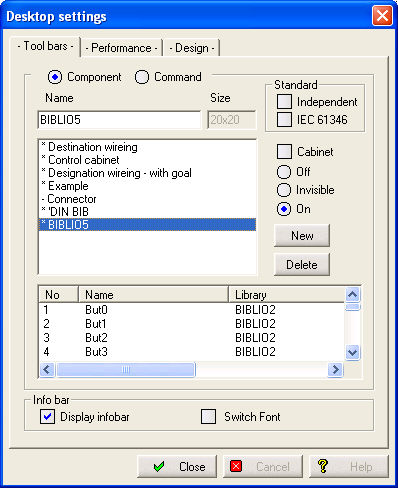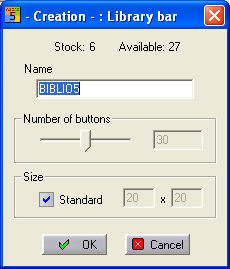
The library bars are generated under the menu option Parameters / Desktop. In the associated dialog, select the tab Function bars and there set the option Library. Next, click on the button New and enter the name of the library bar in the field Designation. The Number-of-buttons slider bar gives the number of buttons which are initially available. In the Size panel, the standard can be activated or, if the standard is deactivated, a special size can be entered. The Size is entered as length x width in the two boxes next to the Standard option. Whole numbers between 5 and 99 can be used.
After clicking on the OK button, the library bar is accepted and deposited with empty commands.