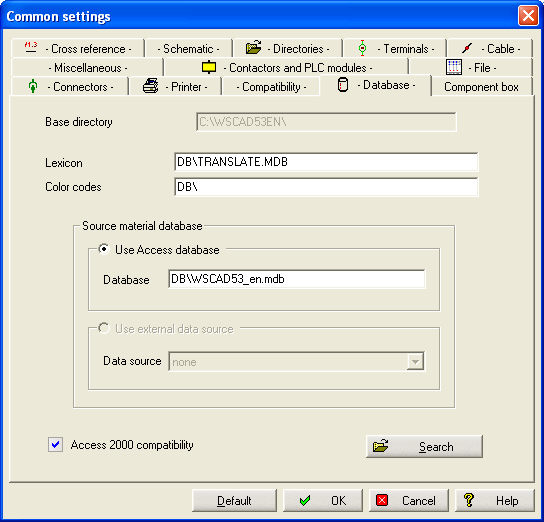
Dictionary
Here you define the dictionary (*.MDB) which you want to use for translation.
Color codes
Here you determine the color code database (*.MDB) which you want to use for color management.
Database access compatible with ACCESS 2000
When the option Database access compatible with ACCESS 2000 is activated, all the generated format databases will be re-saved (both internal databases and databases that can be exported as a file, e.g. the material list).
If you are using an older WSCAD database in the format ACCESS 97, its format will not be modified. A conversion to ACCESS 2000 would have to be done manually with the database program ACCESS 2000.
With ACCESS database
Here you define the directory and the database with which you want to work on a standard basis.
With external data source
If you work with the building mode, you have the possibility to create a data intersection there, and here you will only have to enter the name of the intersection.
Important
In case you switch database access to ACCESS 2000, you have to remember that all consecutively generated databases (material, PLC...) will no longer be readable with the previous version V4.2..., nor, of course, with V5.x installations that do not have this option. This can cause problems when starting the program.