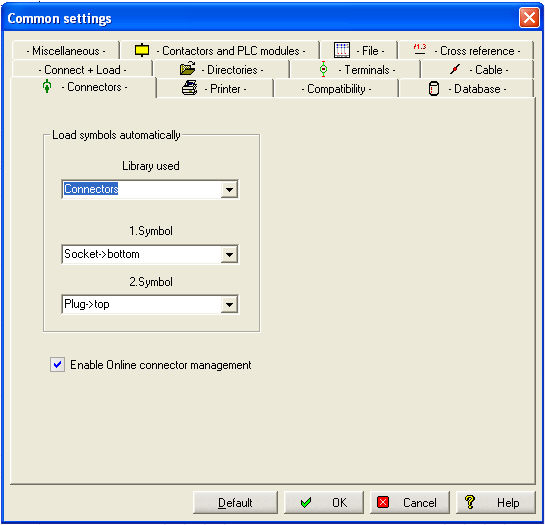
The Online Plug Manager is activated via Parameters / General / Plug/Socket Manager.
For the menu option Connect+load / Plug or socket or plug+socket, the following settings are necessary. If you load the plug or socket via the function symbol then, of course, the alternative plug symbols can also be used. The library which is to be used is selected under Library used. The 1. Symbol is the symbol from this library which is used for displaying the socket. The symbol must be of the symbol type, Socket. The same applies to the 2. Symbol.