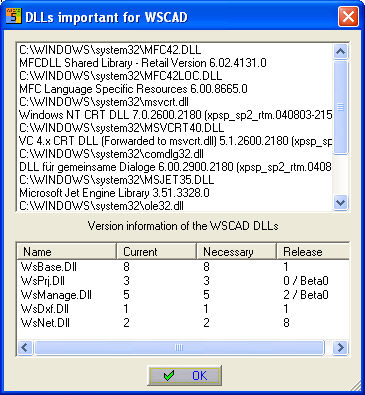
Activate the information dialog via Help / Via WSCAD 5. The button DLL’s displays all of the DLL (Dynamic Link Library) files which are used by your system in another dialog. These files are very important for the software on your system to operate smoothly. The version of each DLL which is registered here is crucial.
The Report button prints out all of the important system information on the printer which is connected to your system.
Use this form when you want to contact our hotline by fax.