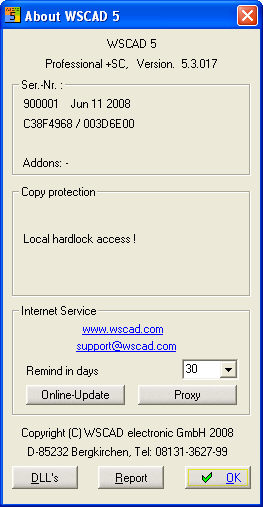
You can start the download any time from the main program by activating the info dialog from the menu item Help / About WSCAD and by clicking on the box Online Update.
Here you can set the reminder interval. If you ever switch off the interval completely in the initial loader program, then here you have the possibility to define a new interval time. You can also establish a direct link to the WSCAD homepage and start you local e-mail client.
Proxy server
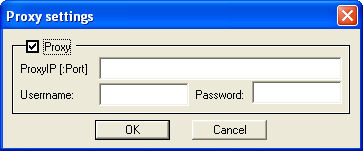
If you are using a proxy server for your intranet in order to regulate internet access, you must have your Admin install access at the proxy server.
Note for Admins:
Make sure that the proxy server does not generate a temporary cache of the WWW.WSCAD.COM webpages, because then the online update will not work.
The use of the set port of Internet Explorer is the standard. If you have to use a different port, enter this additionally, separated from the proxy IP address with a colon (177.128.1.24:8080).
Should you use scripts for proxy server registration, the online update will (unfortunately) probably not work.