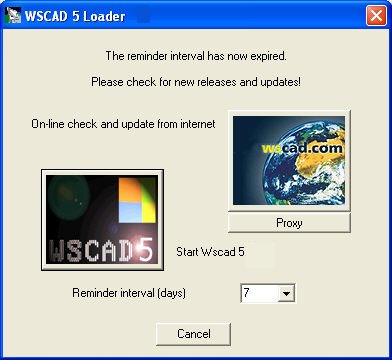
Once the time interval has elapsed, a dialog which enables you to carry out the check and download starts automatically.
In the top right of the dialog, click on the graphics button Fetch update from internet to start the checking procedure for checking whether the version you are currently using is the latest version. If you are already using the latest version, this will be confirmed by a message and the download process will not be continued. In the bottom part of the dialog, start the program with the graphics button WSCAD 5.
The time interval can always be set for a few days at a time. Here, the setting 0 days has the effect of repeatedly invoking the dialog. The setting none suppresses this invocation completely. If the dialog is left via the program start, then the dialog does not appear again until after the number of days set for the interval has elapsed.